
Switchback
Record a browser workflow once and get a step-by-step SOP: one instruction and one annotated screenshot per step, ready to edit and export. It runs entirely on your computer, so it’s safe to use on a work laptop full of customer data.
Why I built it
Most of the procedures worth writing down live inside internal tools: admin consoles, ERPs, order systems. Those screens are full of customer names, emails and order details, which is exactly what you can’t paste into a tool that uploads every screenshot to someone else’s server.
I wanted a step recorder an IT team could review in under an hour: one that holds site access only while you record, keeps everything in your browser, and makes no network requests at all.
How it works
- 1
Record
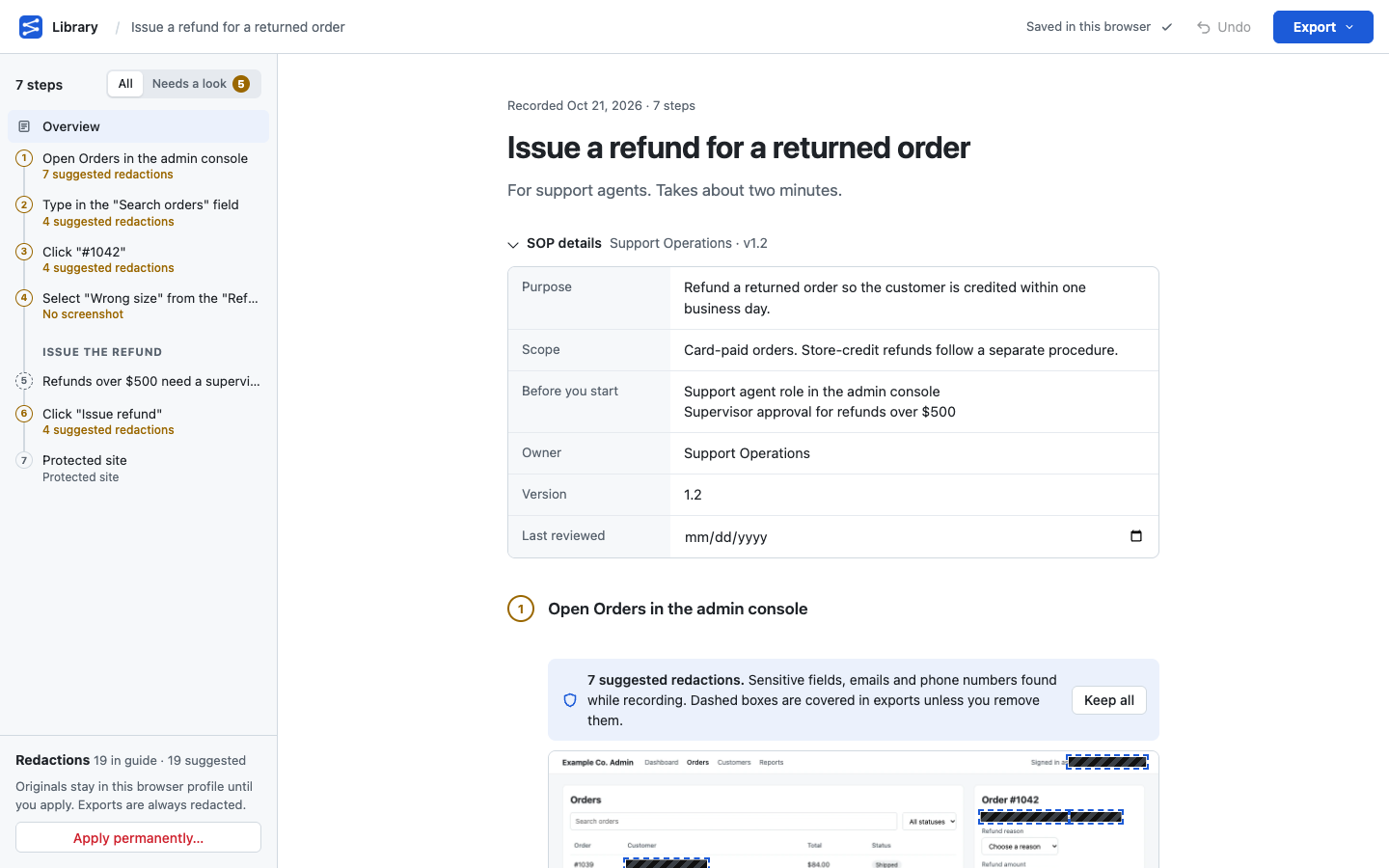
Press Start, do the task once, press Stop. Every click, entry, choice and page change becomes a numbered step with a screenshot and a highlight on what you used.
- 2
Edit
Rewrite any step, drag steps into order, add sections and notes, and fill in the SOP details: purpose, scope, prerequisites, owner, version, review date.
- 3
Export
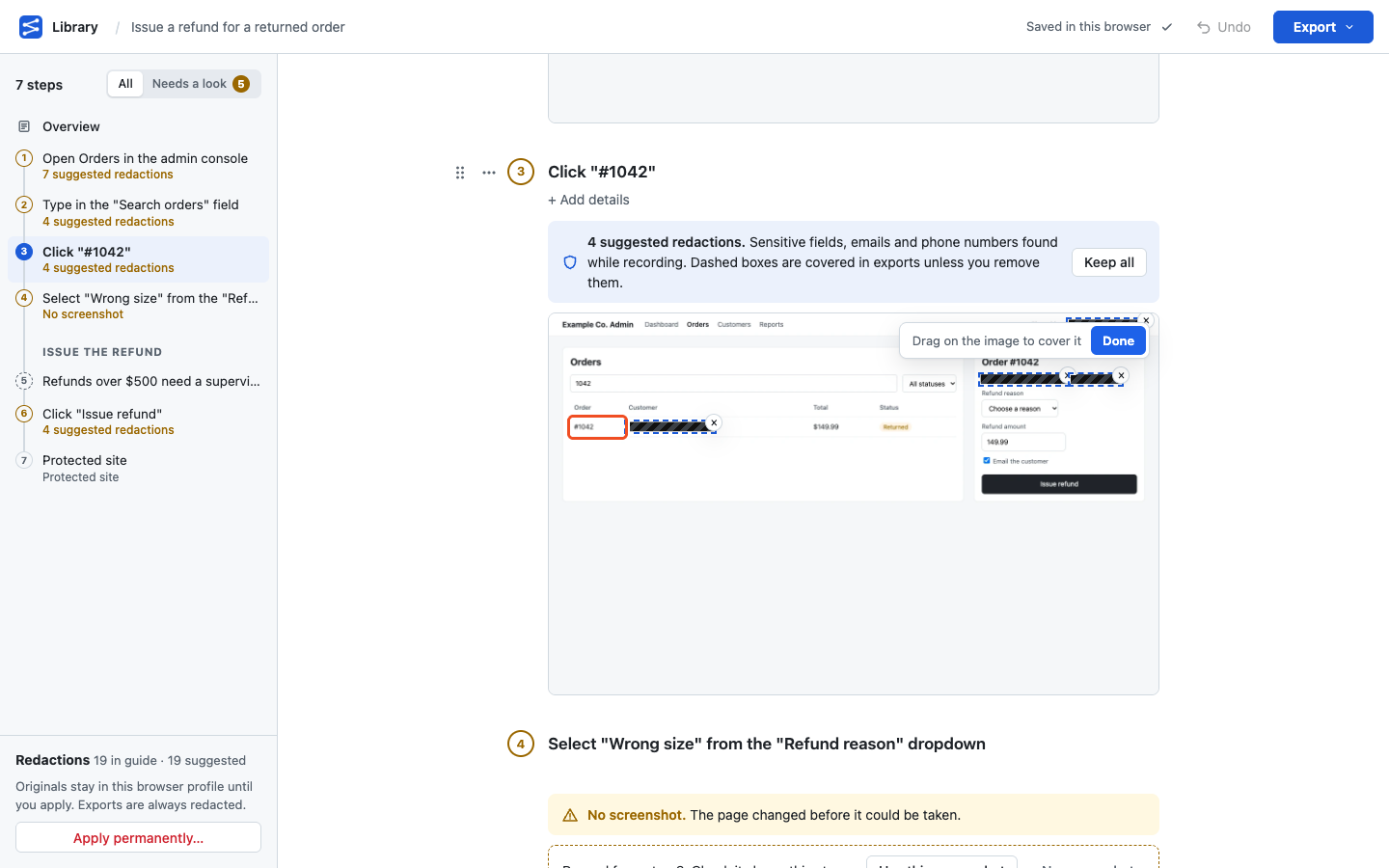
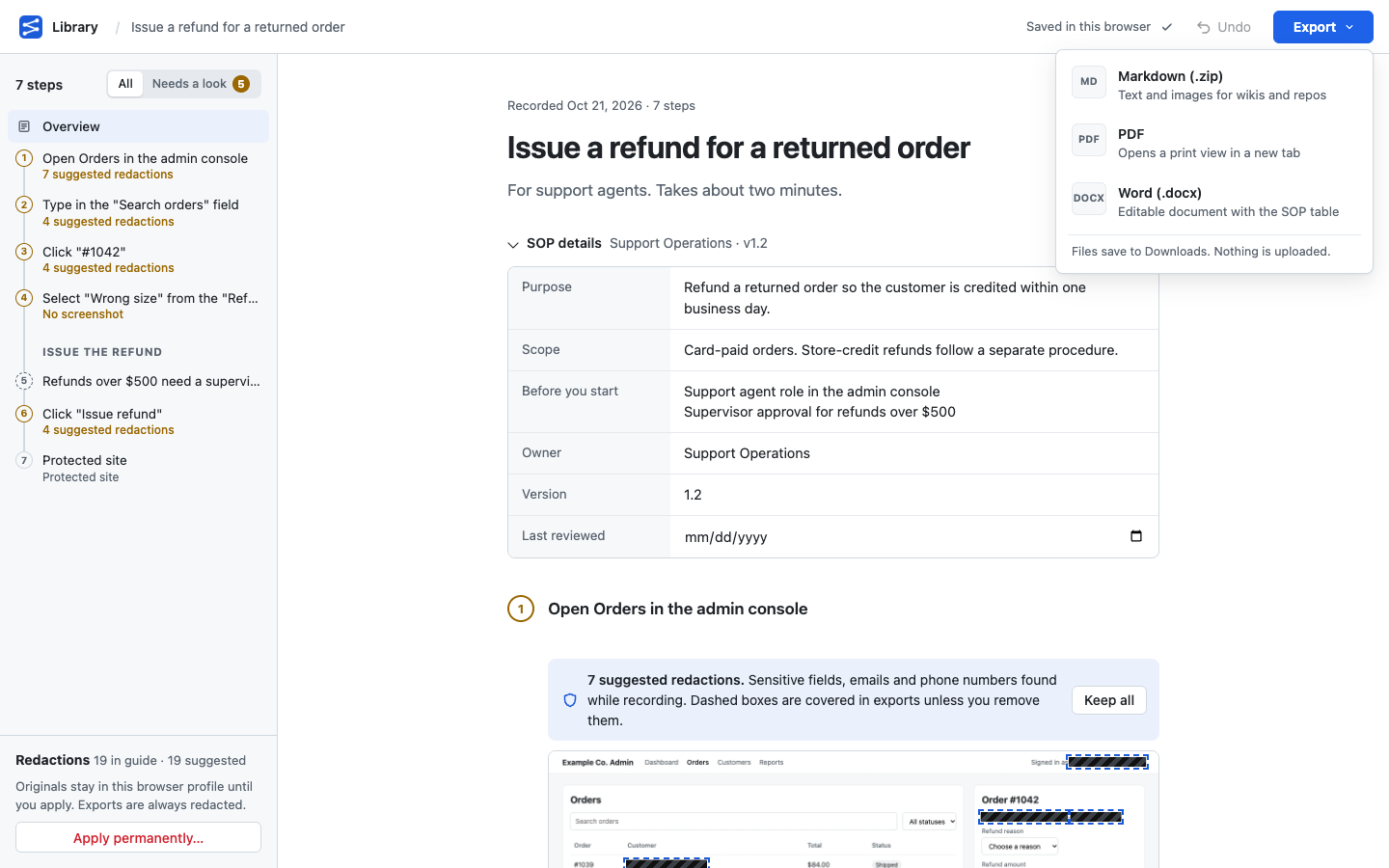
Download the guide as Word, PDF or Markdown. Highlights and redactions are painted into the image pixels, not layered on top where they could be removed.
Private by design
These aren’t settings. Each one is enforced by something that runs, and the privacy policy says the same in plain terms.
- Nothing leaves your computer.
- The extension has no network code, and its content security policy blocks requests anyway. Every release is scanned for code that could send data, and the build fails if any turns up.
- It sees pages only while you record.
- Switchback asks Chrome for site access when you press Start and removes it when you press Stop. Between recordings it runs no code on any page.
- Sensitive data is covered before you share.
- Password fields are never read. Email addresses, phone numbers and sensitive fields are marked for redaction while you record, and password-manager pop-ups are hidden from screenshots.
- Some sites are never recorded.
- Password managers are protected from the start, and you can add your bank, HR or payroll systems. Switchback notes that it paused and keeps nothing else.
How it’s built
Switchback is a Manifest V3 extension written in TypeScript with Preact. Its permissions are the smallest set that works: local storage, scripting, and site access that exists only while a recording runs. Screenshots are stored locally, compacted to WebP after you stop, and every highlight and redaction goes through one renderer, so the editor, the thumbnails and all three exports paint exactly the same pixels.
The privacy promises are checked by machine, not by review. A checker reads the manifest and every file in the build and fails the release on anything that could reach the network, run code in the page, or widen the permissions. Two builds of the same commit must come out byte-for-byte identical, and end-to-end tests drive the real extension in Chromium, including pixel checks that the recording indicator and password-manager pop-ups never appear in a screenshot.